by Kathy Terrill | Jun 11, 2017 | eCommerce Selling Tips, Selling on eBay
eBay sellers have been coming to me for weeks asking, “Kathy, how can I increase my Summer sales?” Are you ready for the answer? The answer is, “Work smart”. Here’s how.
First of all, consider what do people buy in the summer? If you can’t think of anything, then jump on social media. Read what your friends are talking about. So, are they discussing graduation, job hunting, gardening, travel, new films coming out or weddings? Take notes on what they are discussing.
To do these activities, what do people need to own? Write a list. Look for these items when you’re shopping at yard sales, auctions, retail stores and outlets.
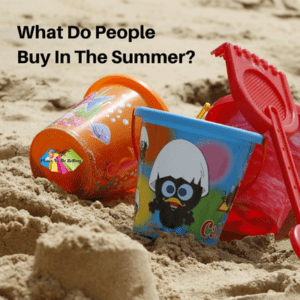
What sells on eBay in the Summer?
Next, go through your unlisted inventory. Do you have in demand Summer items sitting in your unlisted pile of inventory? List those items now.
Sort through products you’ve already listed. Do you have products that shoppers would want for Summer activities?
Feature those products now to your Summer shoppers. Don’t forget to promote your Fall-Winter items for your international shoppers and for people traveling to colder climates during the summer. Just as Christmas sell year round, so do Winter clothes!
If you have an eBay store you have an awesome tool to increase Summer sales. It’s the order discount tool, Promotions Manager.
Using Promotions Manager, you can attract summer shoppers to your eBay store and keep your sales strong all summer long.
So, there are essential keys to using Promotions Manager successfully.
Make sure to group similar items together in your Promotion. Creating a Promotion that includes men’s shirts with women’s shoes is unlikely to succeed. A much better choice would be two Promotions. One Promotion for men’s clothing separate from another Promotion for women’s clothing. For collectibles consider grouping items of a similar color or period. Even if the Promotions all offer the same order discount, you want to create separate Promotions for each category of products.
Grouping Promotions with similar items, increases your likelihood of a shopper using your discount.
Group similar products you’re selling on eBay to increase sales.
Once you have your listings in mind for your Promotion, check what your average shopping cart size is. Look at your sales for the past 90 days. On average how much do customers buy from you? Do they typically spend $30, $50, $60 or more? Whatever the typical dollar amount is, you want to select a discount that encourages shoppers to spend more with you, while you still make an acceptable profit.
A discount under 20% is not going to get anybody’s attention.
Look to discount 20% or more. eBay staffers state that there is data showing shoppers love order discount offers. With this in mind create an appealing offer of 20% or more and score sales!
In addition, Promotions Manager can be combined with Promoted listings for more sales. I detail this strategy in The Secret To Boosting Sales On eBay.
An added benefit to using Promotions Manager is that your items will be offered to more shoppers by eBay.
There are other items that are shown to shoppers in addition to what you have in your Promotion, but your Promotion will be displayed frequently to consumers. I explain this, and show it to you in this YouTube.
Don’t settle for a Summer slow down in your sales on eBay this Summer.
Fight back, going the extra mile with product research and attractive order discounts. Be determined to have strong sales ALL Summer long!
by Kathy Terrill | Mar 26, 2017 | eCommerce News, eCommerce Selling Tips, Selling on eBay
Yes sellers, with my tip you can improve your search results on eBay in less than 5 minutes! To use this amazing tip right now, you will need an eBay store. So how do you accomplish a boost in eBay search in under 5 minutes? Optimize and use eBay’s paid search service Promoted Listings. Starting in April all Top Rated eBay sellers will also have access to this boost in search with or without a store.
In 5 minutes or less you can set up a Campaign for qualifying listings using Promoted Listings. Promoted listings are fast to set up. Once launched within hours your selected eBay products experience an expansion in search to buyers you want. You have in effect with a few clicks of your mouse effectively boosted your search results on the eBay platform!
Promoted Listings is currently only available to eBay store sellers with multi quantity listings. This paid service will be offered to all Top rated eBay sellers in April. Promoted Listings are a smart choice for sellers looking to increase their visibility in search. The seller only pays the promotion fee to eBay when the selected product sells by a direct click from the Promotion. The seller gets a multitude of views from potential shoppers in effect for free. Many sellers experience a boost in search and sales to the ENTIRE category that has Promoted items in it. More views can lead to MORE sales! Cha Ching!
When setting up Campaigns with Promoted Listings it’s wise to niche a Campaign. The reason for this is that it’s easier to track and compare data in a tightly selected campaign than in a broad general one. I spent time recently in San Francisco with eBay’s Promoted Listings Team. I’ve put together some killer tips from my time in California. I’m glad to pass these powerful insights to you
for free. Click HERE for yours.
In under 5 minutes, with an eBay store and Promoted Listings, your selected products gain greater visibility on eBay. Using my FREE tips you can make great choices on what and how to boost your eBay listings with Promoted Listings. Your promoted products can then boost traffic and sales to your entire inventory. Get busy sellers!
by Kathy Terrill | Mar 14, 2017 | eCommerce Selling Tips, eCommerce Tips, Selling on eBay
Sellers come to me daily asking, “Kathy, how do I get more sales?”
We will talk about optimizing their eBay product listings. We will also discuss the many ways sellers can promote their items both on eBay and on social media.
Before we start the essential work of product sourcing and listing , I tell sellers this foundational secret to sales success must be in place. You’re thinking, “What is this crucial secret for sales success?”
I will tell you. It is to think like a buyer.
Sellers will sometimes look at me, not understanding what I mean. So I repeat , ” You must think like a buyer”. This is foundational for sales success anywhere. I will tell you why. Successful product sourcing is about your buyer. Every part of your listing is about your buyer. Successful promotions are about your buyer. Productive social media is about your ideal buyer. In short, it’s all about the buyer.
Even before your list your products, when you are choosing what to sell, you must think like buyer.
What do buyers want to purchase that you can source? Using top notch research tools like Terapeak can help you find what are the hot products to list and sell right now on eBay. When you research what to sell, you want to think like a buyer.
Once you discover a niche or line of products you want to sell, the next step is to source these hot products.
You can source products in thrift stores, consignment shops, auction houses and the sale racks at retail stores and wholesalers. A reputable wholesale liquidation seller like BULQ can be a great source for desirable merchandise. BULQ offers sellers wholesale prices on inventory by the pallet and case.
You have your inventory. Now you’re ready to list. Think about this.
What is your listing title about?
A good listing title is about helping your buyer find your product in search. Successful sellers know that selecting good title keywords includes researching and putting into place the words that buyers use when shopping for that item. Think like a buyer. Look at the item you are listing. What words or phrase would you use if you were shopping for that item? Be sure and include them in the title and or item description. My YouTube video will show you how to use eBay search to select keywords buyers use when shopping.
The photographs you take and upload to your listing are all about the buyer.
Listing photographs need to clearly showcase your item. This allows shoppers to clearly assess your product. Look at your product. What angles and views will help the buyer select your item? Is there a flaw or distinctive mark you want to show them. Your shopper cannot hold your item. Your pictures do that. Think like a buyer.
Next, you will need to fill in the item specifics. Accurate and complete information here gives the eBay and internet search engines structured data they need to display your items to the right buyer.
Now you’re onto the item description. Clearly detail your item in a few sentences. Include information on the brand, UPC, manufacturer’s number or part, color, condition and use for your product. Include size and measurements. Be simple, be clear, and be complete. Think like a buyer.
If you were shopping for this product, what information would you need in making the purchase. Include all of that in your description.
Fill in your payment information and list!
Once listed, take the time to push your products out in social media. Posting effectively on a Facebook Business page can help your products get found by search engines and shoppers. It’s all about the buyer! The Ultimate Guide To A Facebook Business Page For Sellers Mini Course will equip you to optimize your Facebook Business page to welcome buyers. I’ll show you how to think like a buyer on Facebook. Get instant access to Facebook sales power HERE.
Keeping your eye clearly on your buyer, keeps your online business successful. Forget your buyer and you will see your business lose it’s purpose and profitability.
Think like a buyer and watch your sales soar!
by Kathy Terrill | Dec 12, 2016 | eCommerce Tips, Facebook Business Page Tips, Selling on eBay, Social Media Tips
Holiday shoppers are rushing into retail stores and jumping online to get the gifts they need right now!
Use my 3 hot Holiday sales tips to attract eager customers your way and score sales NOW!
Are you ready?
#1 Hot Holiday Sales Tip – Offer Free Or Paid Expedited Shipping!
Whether you’re selling on Amazon, Etsy, eBay and/or your own website, don’t miss out on crucial Holiday revenue by neglecting to offer expedited shipping.
Why not offer the upgrade in shipping service free for your higher price items and wow your customers?
For lower price items with a few simple clicks of the mouse you can include a paid shipping service upgrade for shoppers that want their items fast. Many sellers neglect to offer shipping upgrades and lose sales to other vendors. Snag extra Holiday sales by offering your shoppers a choice of shipping services. My video shows you how to quickly add shipping choices on eBay. The process is very similar on Etsy.
https://www.facebook.com/ilovetobeselling/videos/2171573286400502/
#2 Hot Holiday Sales Tip – Check Your Prices!
Focus on the items you have chosen as your top Holiday gift items. Regularly check the price(s) of your item(s).
Check Prices On The Web!
Be sure and also monitor relevant prices on the worldwide web.
There are times when pricing a product $1 less can get you the shoppers you’re looking for. Don’t lose crucial Holiday shoppers because you’re not checking prices across multiple platforms on the web. Shoppers know how to use Google search to locate and buy from the seller offering the best value.
#3 Hot Holiday Sales Tip – Keep Sourcing And Listing Holiday Products!
Keep an eye on brick and mortar retail stores when you’re out and about.
Many Big Box retailers are slashing prices deeper and deeper as Christmas and Hanukkah approach.
Be alert to grab great inventory you can list quickly and score sales now and into 2017!
#4 BONUS Holiday Sales Tip – Maximize Your Facebook Business Page To Gain Shoppers!
Facebook continues to be a top resource for sellers who want to quickly and effectively promote their inventory. Don’t miss sales by not fully optimizing your Facebook Business page.
The Ultimate Guide To A Facebook Business Page For Sellers!
Offering shipping upgrades, monitoring prices all across the web and continuing to source hot inventory will get you the Holiday sales you want NOW sellers!
Add the proven tips in my The Ultimate Guide To The Facebook Business Page For Sellers Mini Course sellers, and you’ll have a Facebook Business page that drives eager Holiday shoppers your way for even MORE sales at this crucial time!
by Kathy Terrill | Oct 7, 2016 | eCommerce News, Selling on eBay, Social Media Tips
Halloween is just a few weeks away.
Online sellers are turning to me and saying, “Help my Halloween items aren’t selling. Kathy, what do I do?!”
I answer, “Let’s get to work!”
Here is my 4 step plan for you to increase your Halloween sales NOW! You can do these steps in 10 minutes or less. Let’s go!
Step 1 is check prices. Prices on eBay, Etsy and Amazon fluctuate daily.
A price difference of only a few cents can make the difference between an item sitting on your self, or an item being sold.
Check Prices Daily!
During this busy season it’s worth it to spot check your prices daily.
Step 2 is check your keywords. Get slang out of your title. Remove the condition from your title. You want the brand, what the item is ( costume, lights, candy dish), what type it is ( fairy, super hero, ghost), and if applicable age, (adult, kid’s) etc.
If your item is on eBay, this super fast title building technique will make you money and save you time.
Step 3 is, if you’re an eBay seller you will want to run eBay auctions right now. Before you cry out ” Kathy auctions don’t work for me”, just hang on for a few seconds. Auctions are about getting traffic to your items. In any online Halloween category right now there are hundreds if not thousands of items listed.
Your goal is to get YOUR items sold NOW.
Auctions hep you attract shoppers attention on eBay. Halloween is a few weeks away. I explain strategies of auction duration, days and times to start and end auctions and how to select the best starting price in my hit online webinar The Secret Sauce for eBay Sales. The Secret Sauce For eBay Sales gives you power tools to maximize your eBay auctions to get eBay sellers profits faster!
It’s Time To Be Social!
Step 4 take a few minutes and promote your products. Amazon, eBay and Etsy all have social sharing buttons on your listings. Sellers, now is the time to use them!
According to recent data reported by The New York Times, Facebook has 1.65 billion users monthly!
Use your Facebook business page to gain traffic for your Halloween online items now!
My free tips will help you know what Facebook posts get attention and likes from shoppers!
Check your Halloween products’s prices and keywords now. eBay sellers run targeted auctions with the sales power tools in Secret Sauce For eBay Sales.
Everyone get busy on Facebook!
Just 10 minutes using these powerful sales tips can get you the money you’re looking for sellers! It’s time to get to work!