A practical, step-by-step guide to eBay’s advertising options so you can get more visibility, more traffic, and more sales from the inventory you already have.
Ugh! Your eBay sales are slow, stalled, or growing, but nowhere near the rate you’d like. What the heck is going on?
Is eBay hiding your listings? Favoring sellers who use Promoted Listings? Or could something else be holding your sales back?
I hear these frustrations from eBay sellers all the time. And I get it! We have bills to pay, money invested in inventory, and shelves full of items we want to SELL!
So, what can you do to attract more shoppers, stand out in eBay search, and get those sales moving?
Before You Blame eBay, Check This!
When sales slow down, it’s tempting to jump into an eBay Facebook group and ask, “Is anybody else having lousy sales?”
And guess what? You’ll find plenty of sellers who say YES!
But here’s the thing. Other sellers ARE making sales. Why not you?
Instead of assuming eBay is the problem, let’s look at what you can control.
3 eBay Selling Tips to Help Boost Your Sales!
1. Refresh Your Keywords to Attract Shoppers
Are your listings using the words buyers are searching for right now?
Seasonal keywords such as Halloween, fall, Christmas, and holiday gifts can help shoppers discover inventory you already have listed. Don’t overlook your item specifics, either! Want more tips on seasonal selling? Take a look at 3 Time-Saving eBay Tips to Streamline Your Holiday Selling!
2. Check Your Competition. Even $1 Matters!
That price you set a month ago? It might not be competitive anymore!
Other sellers may be offering lower prices, free shipping, or better deals. And when shoppers compare listings, those differences matter.
3. Research What Actually Sells on eBay
Don’t just look at what competing sellers are asking. Check sold listings and eBay Product Research to see what buyers are actually paying.
Whether you’re learning how to sell on eBay or you’re an experienced reseller, this is one of my favorite eBay sales tips!
Is eBay Really the Problem? Let’s Find Out!
eBay is heavily emphasizing live selling and Promoted Listings. Competition from other online marketplaces is growing, too.
But that doesn’t mean your regular eBay listings can’t sell!
You’ll see how competing sellers stack up on price, shipping, and product condition. More importantly, you’ll discover what you can look for in YOUR listings to make them more attractive to shoppers.
What’s Really Happening to Listings in eBay Search?
Why are some listings getting sales while others just sit? And what can YOU do to make your listings more competitive?
Watch my YouTube video as I take you right into eBay search to show you what sellers are doing, what buyers are seeing, and what you can do to turn slow eBay sales into more sales!
Because your inventory isn’t there to collect dust. It’s there to SELL!
Slow sales on eBay? Before you spend more on advertising, try these Best Offer tips to help you sell more.
I love getting more sales. And I also want to keep more of the money from those sales. I know you do, too!
When eBay sales slow down, it’s easy to feel like you need to increase your Promoted Listings rate. But that extra advertising fee comes out of your profit. So before increasing it, take a look at a free selling tool that’s already available to you: Best Offer.
There’s no added fee to enable Best Offer, and you don’t need an eBay Store. (The usual selling fees still apply.)
Let’s dig into eBay Best Offer tips!
How Does Best Offer Work?
Best Offer lets buyers send you an offer suggesting a price they’re willing to pay. You can accept, decline, or counteroffer.
To add Best Offer to an eligible fixed price listing, look in the pricing section of the Sell Your Item form for the option to allow offers. Toggle that on, and it serves as an invitation to shoppers to start a conversation about price.
Everybody loves a deal — so giving people a chance to haggle may help turn an interested shopper into your next buyer.
But before you start accepting offers, let’s make sure that your pricing works for your business.
eBay Best Offer Tips: Price with Room to Negotiate
One of my favorite Best Offer tips is to build a little wiggle room into your asking price.
I typically recommend pricing an item about 15% to 20% above what you’re willing to accept, as long as that price still makes sense for the market.
For example, if you’re OK with selling something for $30, you might list it at $35 with Best Offer.
Before deciding upon your acceptable minimum price point, account for your inventory cost, eBay fees, and any shipping expenses you have to cover. We want to make sales that make you money!
Think about department stores. They set their prices knowing that they’ll offer sales and discounts. You can plan ahead for negotiation as well.
Does Best Offer Mean Every Buyer Gets a Discount?
No! Some shoppers will still pay full price.
In my own selling, roughly 20% to 30% of my Best Offer items sell for their asking price. That’s my experience, although your results may differ.
Some buyers enjoy haggling; others find exactly what they want and click Buy It Now.
So don’t assume that adding Best Offer means you’ll have to discount every sale. It doesn’t. You’re just giving buyers another way to purchase while keeping the full price option available.
What About eBay’s Best Match Search?
If you want to rank better in eBay search results, pay attention to eBay’s default search order, Best Match.
Why do you care? Because visibility gives shoppers more opportunities to find your items! Many buyers only browse the first search results instead of scrolling through page after page.
In my YouTube video How to Sell More with eBay’s Best Offer!, I search for vintage oval mirrors. Several listings near the top of search results include Best Offer, including an organic result that appears alongside sponsored listings.
That’s an interesting pattern, and it’s one reason I encourage sellers to test Best Offer.
Please note: This example alone doesn’t establish that Best Offer caused those search rankings. Best Match considers several factors, including relevance, price, listing quality, and your seller history.
Combine eBay’s Best Offer option with accurate titles, complete item specifics, clear photos, and competitive pricing. Help buyers find your listing and feel comfortable purchasing your item!
You’ve listed an item for $50, and someone offers $10. Oh dear! Before that offer ruins your day, take a deep breath and counter it.
My preference is always to counter rather than decline. This is why I don’t recommend setting up an automatic decline. A buyer’s opening offer doesn’t necessarily tell you what they’ll ultimately be willing to pay.
If you’re good with accepting $40, send a counteroffer for $40 and see what happens. Include a message with your counteroffer noting the percentage of that discount and/or extolling the virtues of your item. The would-be buyer may come up. They may counter your counteroffer. Or they just may walk away. In any case, you’ve given the conversation a chance to turn into a sale.
And remember, you’re in control. You don’t have to accept a price that doesn’t work for your business!
More Offers = More Opportunities to Sell
Best Offer gives interested shoppers another way to buy. There’s no additional fee to use this tool. It’s free with every Fixed Price listing.
So price your items with room to negotiate, protect your profit, and give counteroffers a chance. Pair these steps with optimized listings to help turn more shoppers into buyers.
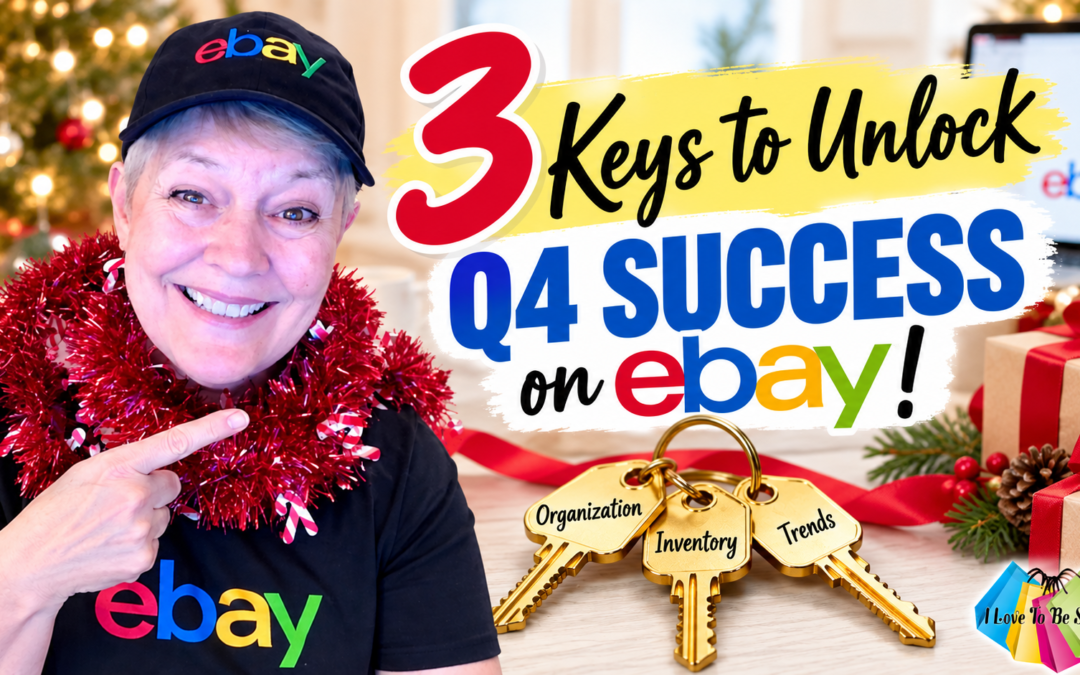
The holiday shopping season has arrived! Here are 3 keys to unlock your Q4 selling success on eBay!
Q4 is one of the biggest opportunities of the year for online sellers. Holiday shoppers are browsing, buying gifts, hunting for deals, and checking items off their wish lists. let’s make sure they shop with you!
But here’s the thing: More sales don’t automatically mean more profit.
You need a plan that makes the most of your time, inventory, and resources. Whether you sell on eBay full-time, part-time, or somewhere in between, these three steps will help you get organized, focus on profitable inventory, and spot opportunities before the holiday rush kicks into high gear.
Ready? Here are 3 keys to get your holiday selling strategy in motion!
Key 1: Get Organized and Make Every Hour Count
Grab your calendar! Between October and December, family gatherings, travel, and holiday celebrations can quickly fill your schedule. Add those commitments now, then figure out how many hours you can realistically devote to your eBay business each week.
Next, ask yourself an important question: Where do I make the most PROFIT?
Maybe Mercari generates more sales, but eBay delivers bigger profits. Look at your numbers and focus your available time where it makes the biggest financial impact.
Remember, revenue looks great on paper. Profit pays the bills! Make sure your holiday selling schedule reflects that difference.
Key 2: Focus on Inventory That Makes You Money
Which products consistently bring you the highest profits? Toys? Clothing? Electronics? Collectibles? Review your sales history and identify your strongest categories, brands, and product types. Then prioritize sourcing and listing more of those moneymakers.
Major retailers study what sells and adjust their inventory accordingly. You can do the same!
And don’t forget your death pile! That unlisted inventory could hold some serious holiday profit potential.
Holiday shoppers are already browsing and buying, so get those items listed ASAP. Set aside a dedicated listing session, crank up your favorite music, and get to work. If you’re a Love2BeSelling Insider, share your listing goal with the group for extra accountability.
Bottom line: Unlisted inventory can’t sell. Get those potential moneymakers online!
Key 3: Spot Holiday Trends Before You Source
Certain colors, styles, brands, and products can attract extra attention during Q4. Watch what major retailers feature in their holiday promotions and look for emerging trends.
But don’t source based on hype alone! Use eBay’s sold-item data and Product Research to check actual buyer demand, competition, and selling prices before investing your money.
If you use eBay Promoted Listings, keep an eye on suggested ad rates, too. Watch for seasonal changes in the “Suggested Rate,” but don’t automatically increase your ad spend just because eBay suggests it. Review your advertising performance and calculate how those fees affect your profits.
Your goal isn’t simply to sell more. It’s to sell more PROFITABLY!
Want More Holiday Sales? Join My FREE eBay Holiday Sales Success Bootcamp!
On September 18, I attended eBay Open on the Road in Dallas, Texas. Fourteen eBay teams attended, and I came home with pages of notes, fresh insights, and actionable information to share with YOU!
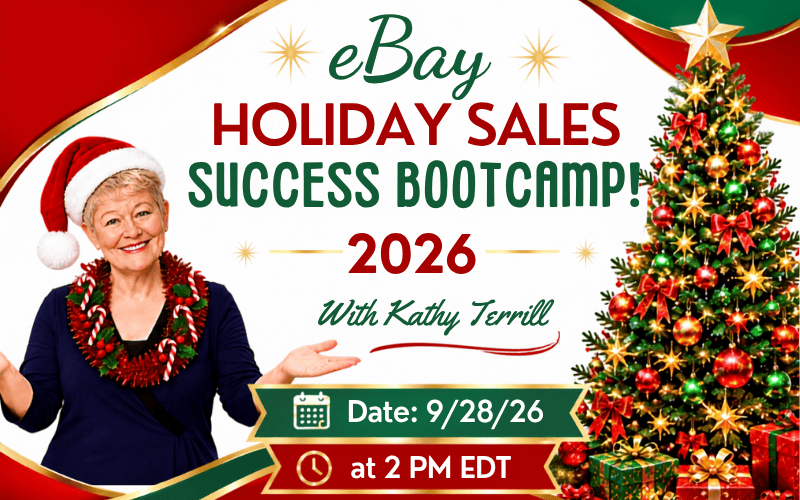
I’m bringing some of those golden nuggets straight to my upcoming FREE webinar, eBay Holiday Sales Success Bootcamp, on Monday, September 28, at 2 PM Eastern.
I’ll share practical strategies to help you prepare your eBay business for Q4, make smarter selling decisions, and uncover holiday sales opportunities.
Can’t attend live? Sign up to get access to the recording!
The holiday selling season won’t wait. Get organized, focus on profitable inventory, and start spotting opportunities NOW. I hope to see you in my eBay Holiday Sales Success Bootcamp!
eBay Spring Cleaning Tips to Boost Your Sales starts with a powerful idea: when you eBay seller, clean up your space and your systems, you create room for more sales.
Spring has arrived. Flowers are blooming, Mother’s Day is near, and graduation season is around the corner. It’s also the perfect time to reset your eBay business. A focused spring clean helps you work faster, stay organized, and list with more clarity. Here’s how to get started.
eBay Spring Cleaning Tips to Boost Your Sales: Step 1 – Assess Your Setup
Take a clear look at your workspace. Whether you work from a corner of your home or a dedicated room, your setup should support how you sell.
Walk through your process:
Where do you pack and ship orders?
How do you store supplies like boxes, mailers, and tape?
Where is your inventory, and how easy is it to access?
Identify what works and what slows you down. Maybe your shipping station feels cramped. Maybe your inventory system makes it hard to find sold items. Pinpoint the friction so you can fix it.
Step 2: Focus on One Area at a Time
Avoid doing everything at once. Choose one area and improve it before moving on.
Start with a clear priority:
Reorganize your shipping station for faster packing
Sort and store unlisted inventory
Clean and reset your shelving system
Break your project into short, manageable blocks. Set a timer for 15 to 30 minutes and stay on task. Small wins build momentum and lead to real progress.
Step 3: Take Action and Learn More
You’re not in this alone! Whether you’re a part-time or full-time seller, new or experienced, you’ll love the content in my free workshop: Spring Clean Your eBay Selling for More Profit on May 18, 2026.
The session takes place in a pop-up Facebook group at 2 PM ET (1 PM CT; 12 PM MT; 11 AM PT). I’ll walk you through practical ways to streamline your workflow, improve your listings, and set up your business for stronger summer sales—while having fun.
The livestream will be recorded, and sellers in the workshop Facebook group can watch the replay over the following days.
Taking the time to clean and refresh your workspace and listings now clears the path for more consistent sales. When your systems are organized and your listings feel current, you show up with more focus and confidence—and that translates into better results.
And remember, spring cleaning isn’t just about your space. It’s about refreshing you as a seller, too. The Spring Clean Your eBay Selling for More Profit Workshop is the perfect opportunity to reset your space, your inventory, your listings, and your mindset. Don’t miss it.
5 Weather-Prep Tips Every eBay Seller Should Know: Keep Your Business Running During Winter Storms!
As winter approaches, every eBay seller needs to prepare for weather emergencies — snow, ice, rain, flooding, and power outages. Whether you sell part time or full time, staying ready keeps you safe and ensures your eBay business continues to run smoothly. Here are 5 weather-prep tips every eBay seller should know to keep your business running all winter long.
1. Know Your Local Weather Risks
Start by understanding the specific weather threats in your area.
Flood zones: If you’re in a flood-prone region, move your inventory off the floor. Store boxes and bins on waterproof pallets, baker’s racks, or even stacked milk crates to stay above rising water.
Flash floods: Remember, flash flooding can happen even if it’s not raining where you are. A thunderstorm upstream or in nearby hills can send fast-moving water downstream with little warning.
If snow, ice, or strong winds are common in your area, prepare for power outages. Keep flashlights, lanterns, and extra batteries handy. Investing in a small generator — even one purchased on eBay — can keep essential electronics running.
2. Stay Informed and Monitor Weather Alerts
Stay informed by checking local forecasts and radar updates.
Know which part of your county you live in — watches and warnings can be issued for specific zones.
Pay attention to alerts for nearby counties, especially to the south, southwest, north, or northwest. Most severe weather systems approach from those directions.
3. Keep Devices Fully Charged Before a Storm
Before severe weather hits, charge everything — phones, laptops, tablets, and portable power banks. If power goes out, switch to low-power mode and only use devices when necessary. Avoid draining batteries on games or entertainment.
Keep essentials ready: bottled water, nonperishable food, and personal care items. If roads close or power stays down for days, you’ll be glad you stocked up.
4. Use eBay’s Time Away Feature
If severe weather threatens to interrupt your business, activate eBay’s Time Away feature.
Choose whether to allow or pause purchases based on the situation.
If conditions look severe, pause sales completely.
When setting your return date, add extra time to stay safe and protect your seller metrics.
You can also enable automated buyer messages explaining that your store is temporarily offline due to weather conditions. This proactive communication helps maintain buyer trust and satisfaction.
5. Put Safety First — Always
Above all, safety comes first — for you, your family, and your pets. Your eBay business will still be there after the storm. eBay often offers Seller Protections during major weather events, so check community updates after severe storms.
If a tornado or storm warning is issued:
Don’t look outside to “see” the storm — tornadoes can be hidden by rain.
Take shelter immediately in a basement or interior room.
Wear sturdy shoes and protect your head with a helmet, blanket, or mattress.
Remember that tornado sirens aren’t meant to be heard indoors. Make sure your smartphone weather alerts are turned on — these Wireless Emergency Alerts (WEAs) from the NWS can save lives. You can even add extra alerts, like lightning strike warnings, using the Weather Channel app.
Weather preparedness for eBay sellers isn’t just about safety — it’s about protecting your income and keeping your online business strong. My free weekly Premier Tips keep you in the loop with the latest eBay news and updates. You can easily subscribe HERE.
Plan ahead, use eBay tools wisely, and stay informed. You’ve got what it takes to navigate whatever chaos the weather throws your way and keep your eBay business thriving. Safety comes first — once things settle, these tips will help you bounce back fast. Because if there’s one thing we eBay sellers do best, it’s pivot, pivot, and pivot some more!
We use cookies on our website to give you the most relevant experience by remembering your preferences and repeat visits. By clicking “Accept”, you consent to the use of ALL the cookies.
Privacy Overview
This website uses cookies to improve your experience while you navigate through the website. Out of these, the cookies that are categorized as necessary are stored on your browser as they are essential for the working of basic functionalities of the website. We also use third-party cookies that help us analyze and understand how you use this website. These cookies will be stored in your browser only with your consent. You also have the option to opt-out of these cookies. But opting out of some of these cookies may affect your browsing experience.
Necessary cookies are absolutely essential for the website to function properly. These cookies ensure basic functionalities and security features of the website, anonymously.
Cookie
Duration
Description
__cf_bm
1 hour
This cookie, set by Cloudflare, is used to support Cloudflare Bot Management.
_GRECAPTCHA
6 months
Google Recaptcha service sets this cookie to identify bots to protect the website against malicious spam attacks.
apbct_cookies_test
session
CleanTalk sets this cookie to prevent spam on comments and forms and act as a complete anti-spam solution and firewall for the site.
apbct_headless
session
Cleantalk set this cookie to detect spam and improve the website's security.
apbct_page_hits
never
CleanTalk sets this cookie to prevent spam on comments and forms and act as a complete anti-spam solution and firewall for the site.
apbct_prev_referer
session
Functional cookie placed by CleanTalk Spam Protect to store referring IDs and prevent unauthorized spam from being sent from the website.
apbct_site_landing_ts
session
CleanTalk sets this cookie to prevent spam on comments and forms and act as a complete anti-spam solution and firewall for the site.
apbct_site_referer
3 days
CleanTalk Spam Protect sets this cookie to prevent spam and to store the referrer page address which led the user to the website.
apbct_timestamp
session
CleanTalk sets this cookie to prevent spam on comments and forms and act as a complete anti-spam solution and firewall for the site.
apbct_urls
3 days
CleanTalk Spam Protect sets this cookie to prevent spam on our comments and forms and acts as a complete anti-spam solution and firewall for this site.
cookielawinfo-checkbox-advertisement
1 year
Set by the GDPR Cookie Consent plugin, this cookie records the user consent for the cookies in the "Advertisement" category.
cookielawinfo-checkbox-analytics
11 months
This cookie is set by GDPR Cookie Consent plugin. The cookie is used to store the user consent for the cookies in the category "Analytics".
cookielawinfo-checkbox-functional
11 months
The cookie is set by GDPR cookie consent to record the user consent for the cookies in the category "Functional".
cookielawinfo-checkbox-necessary
11 months
This cookie is set by GDPR Cookie Consent plugin. The cookies is used to store the user consent for the cookies in the category "Necessary".
cookielawinfo-checkbox-others
11 months
This cookie is set by GDPR Cookie Consent plugin. The cookie is used to store the user consent for the cookies in the category "Other.
cookielawinfo-checkbox-performance
11 months
This cookie is set by GDPR Cookie Consent plugin. The cookie is used to store the user consent for the cookies in the category "Performance".
CookieLawInfoConsent
1 year
CookieYes sets this cookie to record the default button state of the corresponding category and the status of CCPA. It works only in coordination with the primary cookie.
ct_has_scrolled
session
CleanTalk sets this cookie to store dynamic variables from the browser.
ct_pointer_data
session
CleanTalk sets this cookie to prevent spam on the site's comments/forms, and to act as a complete anti-spam solution and firewall for the site.
ct_timezone
session
CleanTalk–Used to prevent spam on our comments and forms and acts as a complete anti-spam solution and firewall for this site.
thrivecart_v2
session
ThriveCart sets this cookie to enable the functionality of the shopping cart should you buy something.
viewed_cookie_policy
11 months
The cookie is set by the GDPR Cookie Consent plugin and is used to store whether or not user has consented to the use of cookies. It does not store any personal data.
Functional cookies help to perform certain functionalities like sharing the content of the website on social media platforms, collect feedbacks, and other third-party features.
Cookie
Duration
Description
ct_checked_emails
session
Clean Talk sets this cookie to prevent spam on the site's comments or forms.
ct_checkjs
session
Clean Talk sets this cookie to prevent spam on the site's comments or forms.
ct_fkp_timestamp
session
Clean Talk sets this cookie to prevent spam on the site's comments or forms.
ct_ps_timestamp
session
Clean Talk sets this cookie to prevent spam on the site's comments or forms.
ct_sfw_pass_key
1 month
Clean Talk sets this cookie to prevent spam on the site's comments or forms.
Performance cookies are used to understand and analyze the key performance indexes of the website which helps in delivering a better user experience for the visitors.
Cookie
Duration
Description
__utma
1 year 1 month 4 days
Google Analytics sets this cookie to distinguish users and sessions. The cookie is created when the JavaScript library executes and there are no existing __utma cookies. The cookie is updated every time data is sent to Google Analytics.
__utmb
1 hour
Google Analytics sets this cookie to determine new sessions/visits. __utmb cookie is created when the JavaScript library executes and there are no existing __utma cookies. It is updated every time data is sent to Google Analytics.
__utmc
session
Google Analytics sets this cookie to enable interoperability with urchin.js, an older version of Google Analytics and is used in conjunction with the __utmb cookie to determine new sessions/visits. It is deleted when the user closes the browser.
__utmt
10 minutes
Google Analytics sets this cookie to inhibit the request rate.
__utmz
6 months
Google Analytics sets this cookie to store the traffic source or campaign by which the visitor reached the site.
Analytical cookies are used to understand how visitors interact with the website. These cookies help provide information on metrics the number of visitors, bounce rate, traffic source, etc.
Cookie
Duration
Description
_fbp
3 months
Facebook sets this cookie to display advertisements when either on Facebook or on a digital platform powered by Facebook advertising after visiting the website.
_ga
1 year 1 month 4 days
Google Analytics sets this cookie to calculate visitor, session and campaign data and track site usage for the site's analytics report. The cookie stores information anonymously and assigns a randomly generated number to recognise unique visitors.
_gat_gtag_UA_*
1 minute
Google Analytics sets this cookie to store a unique user ID.
_gid
1 day
Google Analytics sets this cookie to store information on how visitors use a website while also creating an analytics report of the website's performance. Some of the collected data includes the number of visitors, their source, and the pages they visit anonymously.
ct_screen_info
session
CleanTalk sets this cookie to complete an anti-spam solution and firewall for the website, preventing spam from appearing in comments and forms.
Advertisement cookies are used to provide visitors with relevant ads and marketing campaigns. These cookies track visitors across websites and collect information to provide customized ads.
Cookie
Duration
Description
ebay
session
The domain of this cookie is owned by Ebay. This cookie is used for targeting and advertising purpose.
fr
3 months
Facebook sets this cookie to show relevant advertisements by tracking user behaviour across the web, on sites with Facebook pixel or Facebook social plugin.
NID
6 months
Google sets the cookie for advertising purposes; to limit the number of times the user sees an ad, to unwanted mute ads, and to measure the effectiveness of ads.
VISITOR_INFO1_LIVE
6 months
YouTube sets this cookie to measure bandwidth, determining whether the user gets the new or old player interface.
VISITOR_PRIVACY_METADATA
6 months
YouTube sets this cookie to store the user's cookie consent state for the current domain.
YSC
session
Youtube sets this cookie to track the views of embedded videos on Youtube pages.
yt-remote-connected-devices
never
YouTube sets this cookie to store the user's video preferences using embedded YouTube videos.
yt-remote-device-id
never
YouTube sets this cookie to store the user's video preferences using embedded YouTube videos.
yt.innertube::nextId
never
YouTube sets this cookie to register a unique ID to store data on what videos from YouTube the user has seen.
yt.innertube::requests
never
YouTube sets this cookie to register a unique ID to store data on what videos from YouTube the user has seen.